


Updated 2 months ago
How Should B2B Buyers Evaluate a Smart Wearable Sample?
youhong
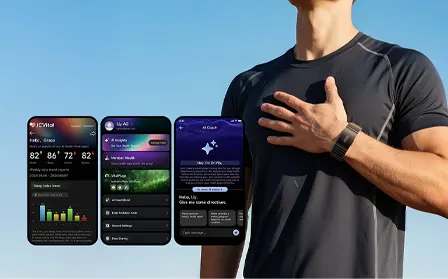
A smart wearable sample evaluation should test the exact questions that determine project fit: product identity, physical quality, comfort, charging, firmware, connectivity, data availability, app behavior, documentation, packaging and reliability under the intended use conditions. Buyers should record the configuration and acceptance criteria before testing, then separate observations from assumptions and unresolved issues.
Ordering a smart ring, smart band or other wearable sample is not the same as approving a product for launch. A sample is most useful when it helps a cross-functional team answer a defined set of product, technical and commercial questions.
Without a written evaluation plan, teams often focus on first impressions, try a few app screens and then declare that the product “works.” That approach can miss important questions about firmware versions, synchronization, charging, data definitions, repeatability, packaging, documentation and production consistency.
Use the following framework to turn a sample into a structured decision tool.

What a Sample Evaluation Can—and Cannot—Establish
A sample evaluation can help a buyer assess:
- whether the form factor appears suitable for the intended users;
- whether the product and accessories match the supplied description;
- whether normal setup, charging, pairing and synchronization flows work in the test environment;
- whether the required app screens, data outputs or documented interfaces are available;
- whether obvious usability, cosmetic or reliability issues appear during a defined test period;
- which questions must be resolved before a pilot, customization project or purchase decision.
A sample alone does not prove:
- mass-production consistency;
- long-term reliability across all users and environments;
- clinical performance or medical suitability;
- regulatory approval for the buyer’s intended use and target market;
- that every requested customization is feasible;
- that the sample configuration is identical to a future production configuration.
Treat the result as one input to a gated evaluation process, not as universal product validation.
Smart Wearable Sample Evaluation Checklist
| Evaluation Area | What to Check | Evidence to Record |
|---|---|---|
| Sample identity | Model, hardware revision, firmware, app version, accessories and configuration | Label photos, version screenshots and supplier confirmation |
| Physical review | Finish, assembly, dimensions, controls, enclosure, strap or ring sizing | Photos, measurements, defect notes and comparison with the approved description |
| Wearability | Fit, comfort, stability, skin contact and user interaction | Test conditions, wearer feedback and duration |
| Power and charging | Charger fit, charging behavior, indicators and use pattern | Charger ID, start/end state, elapsed time and observations |
| Setup and connectivity | Discovery, pairing, permissions, reconnection and synchronization | Phone/OS, steps, pass/fail results and issue logs |
| Data and functions | Required outputs, units, timestamps, history and expected behavior | Screenshots, exported records, test cases and unresolved definitions |
| App and account | Installation, onboarding, settings, language, account and consent flow | App version, screen recordings and issue list |
| Documentation | Specification, manual, interface information and applicable reports | Document title, version, date, holder and scope |
| Packaging | Contents, labeling, manuals, accessories and transit protection | Photos, missing items and change requests |
| Reliability screening | Repeated daily use, reconnect, sync, charging and basic stress scenarios | Test log, frequency, environment and failure details |
| Commercial fit | Customization assumptions, sample status, pilot needs and open dependencies | Decision log, owner and next action |
1. Define the Evaluation Question Before the Sample Arrives
Start with a one-page test brief. It should state:
- the intended users and use case;
- the target product form factor;
- the required and optional functions;
- the planned app, SDK, API, BLE or cloud relationship;
- the target markets and sales or deployment channel;
- the sample quantity and evaluation period;
- the people responsible for product, technical, quality and commercial review;
- the decision the team expects to make after testing.
If these inputs are still unclear, prepare a structured smart wearable RFQ first. The RFQ defines what the project needs; the sample evaluation checks whether a proposed product or platform appears to fit those needs.
Convert important requirements into observable acceptance criteria. For example, replace “easy to connect” with a defined pairing and reconnection test on the phone models and operating systems relevant to the project.
2. Record the Exact Sample Configuration
Do not begin testing until the team can identify what it received. Record:
- product name and model number;
- hardware revision, if available;
- firmware version;
- app name and version;
- SDK, API or protocol-document version, if supplied;
- ring size, strap, enclosure, color and material description;
- charger and accessories;
- packaging version;
- date received and sample source;
- any engineering-sample, prototype or pre-production designation.
This record matters because a later sample may look similar while using a different firmware, component, app build or mechanical revision. Evaluation findings should remain attached to the tested configuration.
Ask whether the unit is a standard commercial sample, an engineering sample, a customized sample or a pre-production unit. Each status supports different conclusions.
3. Inspect Physical Quality and Product Identity
Before powering on the device, inspect it under consistent lighting and photograph all sides.
Review:
- enclosure alignment and visible gaps;
- surface finish, color and cosmetic marks;
- buttons, touch areas, LEDs or displays where applicable;
- strap attachment, clasp, ring edges and user-contact surfaces;
- charging contacts and charger alignment;
- printed or engraved identifiers;
- accessory fit and package contents;
- obvious mismatch with the supplied specification or product images.
If dimensions, weight or material are important, use suitable measurement tools and record the method. Do not treat a marketing description as a measured result.
For multiple samples, compare units side by side. Variation between samples may be more informative than a detailed inspection of only one unit.
4. Evaluate Fit, Comfort and User Interaction
Wearability is use-case dependent. A device intended for overnight use, sports, workplace programs or occasional spot checks may require different evaluation conditions.
Create a small, documented wear test that considers:
- available ring sizes or strap adjustment range;
- movement or rotation during normal activity;
- pressure points, sharp edges or trapped moisture;
- stability of contact with the intended wear location;
- ease of removal and cleaning;
- interaction with clothing, gloves or daily tasks;
- visibility and clarity of on-device indicators;
- ability to follow the charging and setup instructions.
User feedback is valuable, but it should identify the wearer, size, duration, activity and environment. “Comfortable” is an observation under specified conditions, not a universal fact.
If the team is still choosing between form factors, compare candidate smart rings and smart bands against the same use-case criteria.
5. Test Charging and Power Behavior
Power evaluation should reflect the intended operating pattern. Begin by documenting the charger, cable, power source, starting state and device settings.
Check:
- whether the device seats correctly on the charger;
- whether charging begins consistently;
- whether indicators and app status agree;
- whether the device becomes unexpectedly warm;
- whether charging interruptions or contact sensitivity occur;
- how the device behaves when the battery becomes low;
- whether the documented charging workflow is understandable;
- whether required functions remain available during the planned wear-and-charge routine.
Battery runtime observed during a short sample test is not automatically a product specification. Runtime can depend on firmware, enabled functions, synchronization, measurement behavior, temperature, battery age and user activity. Record conditions and repeat the test before drawing conclusions.
6. Verify Setup, Pairing and Reconnection
Test the actual environment that matters to the project. Record phone model, operating-system version, app version, permissions and network conditions.
A basic connectivity test may include:
- Install or update the designated app.
- Create or access the required account using an approved test identity.
- Discover and pair the device.
- Confirm time, settings and initial data synchronization.
- Close and reopen the app.
- Move the device out of range and bring it back.
- Restart Bluetooth and the phone.
- Restart or recharge the wearable if the design permits.
- Confirm reconnection and historical synchronization.
- Repeat the flow on each required operating system.
Record the steps required, elapsed time, error messages and recovery method. One successful connection is not enough to characterize reliability.
Direct BLE access, SDK support, cloud API access and use of the manufacturer’s app are different integration models. Confirm each required path for the exact product and project rather than assuming one implies the others.
7. Check Required Functions and Data Outputs
Use the project requirements—not the longest available feature list—as the test scope.
For each required function, document:
- how it is started or triggered;
- where the result appears;
- the data label, unit and timestamp;
- whether the output is real-time, historical, summarized or event-based;
- the synchronization and offline behavior;
- whether the app, export or interface presents the same definition;
- any stated operating conditions or limitations;
- the acceptance method and result.
Do not infer measurement capability from the presence of a sensor, an app icon or a similar model. Do not treat a general scientific reference as proof of the tested product’s performance.
For health-related outputs, distinguish measurement, estimation, trend, score, insight, risk assessment, screening and diagnosis. If the intended project uses medical, diagnostic or clinical language, specialist regulatory and evidence review is required before relying on a sample result or publishing a claim.
8. Review the App and User Journey
Evaluate the app as part of the product system, not as a separate cosmetic layer.
Review:
- installation and supported operating systems;
- onboarding and device binding;
- account creation, consent and privacy notices;
- language, units and regional settings;
- navigation and explanation of metrics;
- data synchronization and history;
- notifications and permissions;
- device settings and firmware-update flow;
- export, sharing or integration functions actually required by the project;
- account deletion, logout and device-unbinding behavior where relevant.
Do not enter real customer, employee, patient or research-participant data during an early sample review. Use approved test accounts and synthetic information.
If the project will use a custom app or platform, evaluate the sample together with the available technical documentation. The manufacturer’s consumer-facing app may demonstrate basic device behavior, but it does not prove that every underlying data field or command is available to a third-party application.
9. Request and Scope the Supporting Documents
Ask for documents that match the decision stage. These may include:
- product specification or data sheet;
- user manual and charging instructions;
- firmware and app version notes;
- available interface or integration documentation;
- packaging and labeling files;
- test reports or declarations relevant to the proposed configuration;
- quality or process documents appropriate to supplier evaluation.
For every important document, record:
- title and document number;
- version and date;
- issuing organization or holder;
- exact model and configuration;
- standard, test scope or market where relevant;
- expiry or validity information where applicable;
- whether planned customization may change its applicability.
A company or factory certificate does not automatically certify a product. A report for one model, revision or configuration does not automatically apply to another.
10. Evaluate Packaging, Labeling and Accessories
Packaging is part of the delivered system. Review:
- product and accessory count;
- charger, cable and adapter assumptions;
- product protection during transport;
- model, batch or serial identification where applicable;
- manuals, inserts, warnings and supported languages;
- barcode, label and artwork requirements;
- packaging dimensions and materials relevant to the channel;
- differences between sample packaging and proposed production packaging.
A plain engineering-sample box may be acceptable during technical evaluation. Record that status so the team does not mistake it for approved retail packaging.
11. Run a Defined Reliability Screening
An early sample review can include practical screening, but it should not be described as formal reliability validation unless an approved protocol, equipment, sample size and acceptance plan support that claim.
Useful screening may include repeated:
- charging and removal from the charger;
- pairing, unbinding and reconnection;
- app synchronization after offline use;
- normal daily wear under the intended conditions;
- strap or ring handling;
- button, display or indicator operation;
- firmware-update behavior, when an approved test build and recovery plan are available.
Do not improvise destructive, water, temperature, chemical or mechanical stress tests without the correct method, safety controls and authorization. A casual water test does not verify an IP or ATM rating.
Record every issue with the date, configuration, environment, reproduction steps, frequency, media and severity. “Sometimes disconnects” is less useful than a reproducible test record.
12. Use a Cross-Functional Scorecard
Avoid a single overall score that hides critical failures. Use decision categories instead.
| Decision Category | Suggested Status | Meaning |
|---|---|---|
| Meets requirement | Pass | Evidence from the defined test supports the requirement for this sample configuration. |
| Meets with condition | Conditional | Acceptable only after a documented clarification, change or follow-up test. |
| Does not meet | Fail | The sample did not satisfy the stated acceptance criterion. |
| Not tested | Open | The test was not completed or the required resource was unavailable. |
| Not applicable | N/A | The requirement does not apply to this project. |
Assign an owner and next action to every Conditional, Fail and Open item. Separate:
- product-selection issues;
- customization requests;
- integration questions;
- document or evidence gaps;
- sample defects;
- project assumptions that the buyer must resolve.
This separation helps the supplier respond accurately and prevents a software question from being recorded as a hardware failure.
13. Decide the Next Gate
At the end of the evaluation, choose one clear next step:
- reject the candidate and document why;
- request clarification or replacement samples;
- repeat targeted tests with a corrected configuration;
- compare another form factor or model;
- begin a scoped customization feasibility review;
- prepare an integration proof of concept;
- move to a controlled pilot or pre-production validation plan.
Do not move directly from one promising sample to mass production without confirming specifications, approved changes, commercial terms, quality criteria, documentation, target-market requirements and the production-validation plan.
For deeper customization, review the project scope with an OEM wearable manufacturing team and identify which observations concern the base platform versus requested changes.
Commercial Planning: MOQ, SDK/API and Typical Timelines
Sample evaluation should also prepare the team for a realistic commercial discussion. As a general planning reference:
- MOQ generally starts at 1,000 units, but the actual MOQ varies by model, configuration, branding, packaging and customization scope.
- J-Style can provide SDK/API support. The exact interface, available data, documentation, licensing and applicable product platform must be confirmed for the selected model and project.
- A standard-product OEM private-label project can typically deliver the first batch in 4–8 weeks. Model selection, artwork, packaging, materials, sample approval and production conditions can affect the schedule.
- A deep ODM project typically requires 4–6 months when the scope includes items such as hardware revision, firmware customization, algorithm adaptation, tooling and certification testing.
These ranges are planning references rather than guaranteed delivery commitments. The final project schedule should be defined at the kickoff meeting after the customization scope, responsibilities, approval gates, testing and target-market requirements are confirmed.
Copyable Sample Evaluation Record
Sample Identification
- Supplier:
- Product/model:
- Hardware revision:
- Firmware version:
- App/version:
- Sample status:
- Date received:
- Evaluators:
Project Fit
- Intended users and use case:
- Required form factor:
- Required functions:
- Required integration model:
- Target markets:
- Evaluation decision:
Test Results
- Physical quality:
- Fit and comfort:
- Charging and power:
- Pairing and reconnection:
- Data and functions:
- App and account flow:
- Documentation:
- Packaging and accessories:
- Reliability screening:
Open Items
- Issue:
- Evidence:
- Severity:
- Owner:
- Required response or change:
- Retest method:
- Due date:
Decision
- Pass / Conditional / Fail / Open:
- Approved configuration:
- Required follow-up:
- Next project gate:
Common Sample-Evaluation Mistakes
Avoid these mistakes:
- testing without a written use case or acceptance criteria;
- failing to record hardware, firmware and app versions;
- treating one successful pairing as proof of connection reliability;
- judging battery performance without recording settings and conditions;
- assuming displayed metrics are available through SDK, API or BLE;
- using real personal or health data in an uncontrolled test;
- treating an engineering sample as a production-approved unit;
- assuming one document or certificate applies to every configuration;
- confusing sample evaluation with clinical or regulatory validation;
- approving a product without owners and retest plans for open issues.
Frequently Asked Questions
How many wearable samples should a B2B buyer test?
There is no universal number. The quantity should reflect the evaluation question, expected variation, number of form factors or sizes, operating systems, test users and project stage. Ask the supplier what sample status and configuration are available, then document the limits of any conclusion based on a small sample.
How long should a smart wearable sample evaluation take?
The period depends on the use case and acceptance criteria. Pairing and basic function checks may be completed quickly, while wearability, synchronization, charging patterns and repeatability require observation across multiple use cycles. Build the schedule around the questions to be answered rather than using a universal duration.
Can a sample confirm battery life?
A sample can provide an observed runtime under recorded conditions. It does not automatically establish a universal battery specification or production result. Repeat the test and document firmware, settings, enabled functions, synchronization, temperature, battery condition and user activity.
Does a working sample prove that SDK or API access is available?
No. A device may work with the manufacturer’s app without exposing the required SDK, API, BLE protocol, raw data or cloud interface to a third party. Confirm each access path, document version and permitted use separately.
Does a sample prove certification or medical suitability?
No. Certification and regulatory status depend on the exact product, version, holder, intended use, claims, market and supporting evidence. A functional sample or logo is not sufficient proof. Medical or clinical use requires the appropriate specialist review and validation plan.
Turn Sample Testing into a Better Project Decision
A useful smart wearable sample evaluation produces more than a list of likes and dislikes. It creates a traceable record of what was tested, which configuration was involved, what evidence supports the result, which questions remain open and what should happen next.
J-Style can discuss sample evaluation for smart ring, smart band and wearable OEM/ODM projects based on the selected product and project scope. Product features, interfaces, customization, documentation, commercial terms, validation and target-market requirements must be confirmed for the exact configuration.
Review the project scope with J-Style before ordering evaluation units so the sample configuration and test questions match the intended application.