

Updated 1 month ago
How to Access Smart Band Data Through BLE: A Practical Guide for iOS and Android
youhong
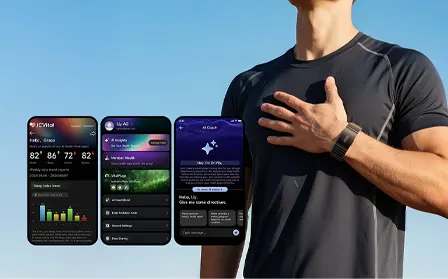
For developers building fitness apps, digital health platforms, wellness applications, and connected wearable ecosystems, Bluetooth Low Energy (BLE) is one of the key technologies used to connect a smart band with a smartphone.
A typical wearable integration architecture looks like:
Smart Band → BLE → GATT → iOS / Android App → Cloud → Customer Platform
But simply knowing that a smart band supports Bluetooth is not enough. Developers need to understand:
- How to discover the wearable
- How to establish a BLE connection
- How GATT services work
- How to identify characteristics
- How to read data
- How to subscribe to notifications
- How to decode data packets
- How to synchronize historical records
- How to handle iOS and Android differences
- How to protect wearable data
- How to validate the integration before OEM/ODM production
This practical guide explains the process of accessing smart band data through BLE and provides a framework for developers evaluating wearable integration projects.
Important: The exact BLE services, UUIDs, characteristics, data formats, commands, SDK availability, and supported data fields vary by wearable model and firmware. The examples below explain the general integration architecture and should not be interpreted as the communication specification of a particular J-Style product.
What Is BLE and Why Is It Used in Smart Bands?
Bluetooth Low Energy (BLE) is a wireless communication technology designed for low-power connected devices. It is particularly relevant to wearable products because smart bands typically need to operate for extended periods while communicating relatively small amounts of data.
Android's official documentation identifies BLE use cases including heart-rate monitors and fitness devices, and explains that Android applications can scan for BLE devices, connect to GATT servers, discover services, and transfer information. (Android Developers)
The basic communication model is:
Smart Band
    ↓
Bluetooth Low Energy
    ↓
Smartphone
    ↓
iOS / Android Application
For a B2B wearable application, this can then continue into:
Smart Band
    ↓
BLE
    ↓
GATT
    ↓
Mobile App
    ↓
Cloud API
    ↓
Customer Platform
For companies developing their own wearable applications, BLE therefore becomes an important part of the device-to-app communication layer.
What Is GATT in a Smart Band?
GATT stands for Generic Attribute Profile. GATT defines higher-level data structures called:
- Services
- Characteristics
- Descriptors
Bluetooth SIG explains that services provide grouping and context for characteristics, while characteristics represent individual data or control items with defined properties. (Bluetooth® Technology Website)
A simplified structure looks like:
GATT Server
│
├── Service
│   ├── Characteristic
│   ├── Characteristic
│   └── Descriptor
│
├── Service
│   ├── Characteristic
│   └── Characteristic
│
└── Service
    └── Characteristic
For a smart band, different services and characteristics may be used for:
- Device information
- Battery information
- Sensor data
- Heart-rate-related information
- Activity data
- Device control
- Historical synchronization
The actual structure depends on whether the device uses Bluetooth SIG-defined services, manufacturer-specific services, or a combination of both.
BLE vs GATT: What's the Difference?
These terms are often used together, but they describe different layers.
- BLE is the wireless communication technology.
- GATT defines how application-level data is organized and accessed over the BLE connection.
A simplified relationship is:
Bluetooth Low Energy → ATT → GATT → Services → Characteristics
Bluetooth's BLE primer describes GATT as the layer that defines services, characteristics, descriptors, and procedures for working with them through the Attribute Protocol. (Bluetooth® Technology Website)
For developers, this distinction is important. You are not simply "reading BLE." You are usually:
Connecting to a BLE device → discovering its GATT services → identifying characteristics → reading or subscribing to characteristic values.
How Does a Smart Band Send Data to an App?
A common workflow looks like this:
- Scan
- Discover Smart Band
- Connect
- Discover GATT Services
- Discover Characteristics
- Enable Notifications
- Receive Data
- Decode Data
- Validate Data
- Store / Synchronize
For example:
Smart Band
    │
    │ BLE Notification
    ↓
Characteristic
    │
    ↓
Mobile BLE Layer
    │
    ↓
Data Decoder
    │
    ↓
Application Data Model
    │
    ↓
Fitness / Wellness UI
This is the core architecture behind many BLE wearable integrations.
Step 1: Scan for the Smart Band
The first step is discovering nearby BLE devices. The application may scan for devices using:
- Device name
- Service UUID
- Manufacturer data
- Other supported identifiers
The application should avoid relying only on a displayed Bluetooth name because names can vary by firmware or configuration. A more robust approach can use known identifiers associated with the target wearable.
iOS
Apple's Core Bluetooth framework provides CBCentralManager for scanning, discovering, connecting to, and managing remote BLE peripherals. (Apple Developer)
Android
Android provides BLE APIs for scanning nearby devices and connecting to GATT servers. (Android Developers)
A simplified process is:
Application
     ↓
Start BLE Scan
     ↓
Receive Advertisements
     ↓
Filter Devices
     ↓
Identify Target Smart Band
Step 2: Establish a BLE Connection
Once the target smart band has been discovered, the application establishes a BLE connection. The basic workflow is:
Discovered Device
       ↓
Connect
       ↓
Connection Established
       ↓
GATT Discovery
The application should maintain a clear connection state. For example:
DISCONNECTED
      ↓
CONNECTING
      ↓
CONNECTED
      ↓
DISCOVERING SERVICES
      ↓
READY
If the connection is interrupted:
READY
  ↓
DISCONNECTED
  ↓
RECONNECTING
  ↓
CONNECTED
A production application should not assume that a BLE connection will remain continuously available. Connection management and reconnection logic are therefore important parts of wearable software development.
Step 3: Discover GATT Services
After connecting, the application needs to discover the services exposed by the smart band. A service can be thought of as a functional grouping.
For example:
Smart Band GATT Database

Service A
 ├── Characteristic A1
 └── Characteristic A2

Service B
 ├── Characteristic B1
 └── Characteristic B2

Service C
 └── Characteristic C1
Bluetooth SIG's GATT documentation explains that services group related characteristics and provide the context for the functionality they represent. (Bluetooth® Technology Website)
The application should identify which services are relevant to the required functionality.
Step 4: Discover Characteristics
Characteristics are where developers usually interact with wearable data. A characteristic can have different properties, such as:
- Read
- Write
- Write Without Response
- Notify
- Indicate
For example:
Service
│
├── Data Characteristic
│       └── Notify
│
├── Command Characteristic
│       └── Write
│
└── History Characteristic
        └── Read / Notify
This means the application might:
- Read a value directly.
- Write a command to the wearable.
- Subscribe to notifications and receive data automatically.
Step 5: Read Smart Band Data
There are several ways an application may obtain data from a BLE wearable.
Method 1: Read
The application sends a read request.
App
 ↓
Read Characteristic
 ↓
Smart Band
 ↓
Characteristic Value
 ↓
App
This method can be useful for information that can be requested on demand. Examples may include:
- Battery status
- Device information
- Certain stored values
Method 2: Notification
The application subscribes to a characteristic.
App
 ↓
Enable Notification
 ↓
Smart Band
 ↓
Data Update
 ↓
Notification
 ↓
App
This architecture is particularly relevant when data needs to be transmitted as it becomes available.
Method 3: Write Command
The application sends a command to the wearable.
App
 ↓
Write Command
 ↓
Smart Band
 ↓
Process Command
 ↓
Response / Notification
This may be used for:
- Starting synchronization
- Requesting historical data
- Changing device settings
- Triggering supported functions
The exact command structure depends on the wearable's protocol.
Step 6: Understand Notifications
For many wearable applications, BLE notifications are particularly important. Instead of repeatedly asking the wearable "Do you have new data?" the application can subscribe to a characteristic and receive updates when the device sends them.
Conceptually:
Without Notification
App → Read
App → Read
App → Read
App → Read
With Notification
App → Subscribe
          ↓
     Smart Band
          ↓
      Data Update
          ↓
     Notification
          ↓
        App
This can be useful for applications that need ongoing data updates. However, developers should distinguish between:
- Real-time data
- Periodic data
- Event-driven data
- Historical synchronization
These are not necessarily implemented in the same way.
Step 7: Decode the BLE Data Packet
Receiving bytes from a smart band is only the beginning. The application must understand what those bytes represent.
For example, a hypothetical packet could look like:
AA 01 48 00 3C 00 5A
The actual interpretation might be defined by a manufacturer's protocol specification. A simplified example could be:
Byte 0   Header
Byte 1   Data Type
Byte 2   Heart Rate
Byte 3   Reserved
Byte 4   Activity
Byte 5   Status
Byte 6   Checksum
This is only an illustrative example.
A real wearable protocol may use:
- Multiple packets
- Headers
- Length fields
- Sequence numbers
- Timestamps
- CRC/checksums
- Signed integers
- Little-endian or big-endian encoding
- Scaling factors
- Bit fields
Therefore, developers need a BLE protocol specification or SDK documentation.
Step 8: Convert Raw Data Into Application Data
Raw BLE packets should generally be converted into a structured application data model. For example:
{
  "timestamp": "2026-08-20T10:30:00Z",
  "heartRate": 78,
  "steps": 5420,
  "activity": "walking"
}
The actual data structure will depend on the application. A good architecture separates:
BLE Packet → Decoder → Domain Model → Application UI
For example:
BLE Packet
    ↓
Protocol Decoder
    ↓
Validated Data
    ↓
Application Model
    ↓
Database
    ↓
UI / Cloud
This separation makes the software easier to test and maintain.
Step 9: Validate Wearable Data
Data received from a wearable should be validated before being stored or displayed. Developers can consider:
- Timestamp validation
- Data type validation
- Range checks
- Packet integrity
- Duplicate detection
- Sequence validation
- Missing packets
- Device time synchronization
For example:
Received Data
     ↓
Is Packet Valid?
     ↓
Is Timestamp Valid?
     ↓
Is Value Within Expected Range?
     ↓
Duplicate?
     ↓
Store Data
This becomes especially important when wearable data is synchronized over longer periods.
Step 10: Synchronize Historical Data
Not all wearable information needs to be transmitted continuously. A smart band may store data locally and synchronize it when the mobile application connects.
A typical workflow could be:
Smart Band
Stores Data
     ↓
Mobile App Connects
     ↓
Sync Command
     ↓
Historical Data Transfer
     ↓
Packet Assembly
     ↓
Data Validation
     ↓
Local Database
     ↓
Cloud API
For a B2B application, developers should confirm:
- How much historical data can be stored
- How synchronization starts
- How records are identified
- Whether records have timestamps
- How duplicate records are handled
- Whether interrupted synchronization can resume
How to Access Smart Band Data on iOS
Apple's Core Bluetooth framework provides the primary platform APIs for communicating with Bluetooth Low Energy peripherals from iOS applications. (Apple Developer)
A typical iOS workflow is:
CBCentralManager
      ↓
Scan
      ↓
Discover Peripheral
      ↓
Connect
      ↓
Discover Services
      ↓
Discover Characteristics
      ↓
Read / Write / Notify
      ↓
Process Data
Developers commonly work with:
CBCentralManagerCBPeripheralCBServiceCBCharacteristic
Apple documents CBCentralManager as the object responsible for scanning for, discovering, connecting to, and managing remote peripherals. (Apple Developer)
iOS Development Considerations
Developers should evaluate:
- Bluetooth permissions
- Connection lifecycle
- Service discovery
- Characteristic discovery
- Notification subscriptions
- Background behavior
- Reconnection
- Data persistence
The mobile application should also follow Apple's current permission and privacy requirements for Bluetooth-related functionality.
How to Access Smart Band Data on Android
Android provides built-in BLE support and APIs that applications can use to discover devices, connect to GATT servers, discover services, and transmit information. (Android Developers)
A typical Android architecture is:
Bluetooth Adapter
       ↓
BLE Scanner
       ↓
Bluetooth Device
       ↓
BluetoothGatt
       ↓
Services
       ↓
Characteristics
       ↓
Read / Write / Notify
       ↓
Data Processing
Developers should pay particular attention to Android Bluetooth permissions. Depending on the Android version and application target, Bluetooth-related permissions may include:
BLUETOOTH_SCANBLUETOOTH_CONNECT
Android's official documentation should be checked for the current requirements during implementation. (Android Developers)
iOS vs Android BLE Smart Band Integration
The overall BLE architecture is similar, but the platform APIs are different.
| Integration Step | iOS | Android |
|---|---|---|
| BLE scanning | Core Bluetooth | Android BLE APIs |
| Device discovery | CBCentralManager | BLE scanner |
| Connection | CBPeripheral | GATT connection |
| Service discovery | CBService | GATT services |
| Characteristic | CBCharacteristic | GATT characteristic |
| Read | Supported | Supported |
| Write | Supported | Supported |
| Notifications | Supported | Supported |
| Reconnection | Application-managed | Application-managed |
| Data processing | App layer | App layer |
The underlying wearable protocol can remain the same while the mobile implementation differs. This is one reason why a well-documented BLE protocol or wearable SDK can be valuable for B2B development teams.
Standard BLE Services vs Custom Wearable Services
One important consideration is whether the wearable uses Bluetooth SIG-defined services or manufacturer-specific services and characteristics.
Bluetooth SIG maintains specifications for standardized services and profiles. For example, the Heart Rate Service is a defined Bluetooth service. (Bluetooth® Technology Website)
Bluetooth SIG also supports generic health-related profiles and services for certain use cases. (Bluetooth® Technology Website)
However, wearable manufacturers may also implement custom GATT services to support product-specific functionality. Therefore, developers should not assume that every smart band uses the same UUIDs or data format.
What Information Do Developers Need From a Smart Band Manufacturer?
For direct BLE integration, the technical documentation is critical. A B2B development team should request:
Device Information
- Product model
- Hardware version
- Firmware version
- BLE version
- Supported mobile platforms
GATT Information
- Service UUIDs
- Characteristic UUIDs
- Characteristic properties
- Descriptor information
Protocol Information
- Packet format
- Commands
- Responses
- Notifications
- Data encoding
- Checksum
- Sequence numbers
Data Information
- Heart rate
- HRV
- Sleep
- Steps
- Calories
- Activity
- Workout
- SpO₂
- Other supported metrics
Synchronization Information
- Real-time data
- Historical data
- Sync commands
- Sync sequence
- Timestamp handling
- Duplicate handling
Development Resources
- iOS SDK
- Android SDK
- BLE documentation
- Sample code
- Testing tools
This is why the question "Does the smart band support BLE?" is only the starting point. A better question is:
"Can our development team access the required data through a documented BLE/GATT interface?"
Do You Need an SDK for BLE Smart Band Integration?
Not necessarily. There are generally three approaches.
Direct BLE/GATT Integration
Smart Band
    ↓
BLE
    ↓
GATT
    ↓
Customer BLE Layer
    ↓
Customer App
This gives the development team direct control over the communication layer.
SDK-Based Integration
Smart Band
    ↓
BLE
    ↓
Manufacturer SDK
    ↓
Customer App
The SDK can abstract some lower-level implementation details.
SDK + API Architecture
Smart Band
    ↓
BLE
    ↓
SDK
    ↓
Mobile App
    ↓
API
    ↓
Cloud
    ↓
Customer Platform
For a broader explanation, see our previous article:
Smart Band SDK vs API: What Do Developers Need for Wearable App Integration?
Common BLE Smart Band Integration Challenges
Even when a wearable successfully connects, developers may encounter implementation issues.
- Device Discovery – The application may discover multiple BLE devices. A robust filtering mechanism is therefore important.
- Connection Stability – BLE connections can change because of device distance, smartphone state, OS behavior, Bluetooth state, interference, or power management.
- Service Discovery – The application needs to identify the correct services and characteristics.
- Packet Decoding – Raw byte arrays must be converted into meaningful application data.
- Historical Synchronization – Large datasets may require multiple packets and sequence handling.
- Duplicate Data – Repeated synchronization can potentially result in duplicate records if the application does not identify records properly.
- Firmware Compatibility – Changes in firmware can affect communication behavior or supported features. For OEM/ODM projects, firmware and software compatibility should therefore be tested together.
How to Test a BLE Smart Band Before App Development
A sample-based technical evaluation can significantly reduce integration uncertainty. A practical testing process is:
Sample Device
      ↓
BLE Discovery
      ↓
Connection Test
      ↓
GATT Discovery
      ↓
Characteristic Test
      ↓
Data Capture
      ↓
Packet Analysis
      ↓
SDK / App Integration
      ↓
iOS Test
      ↓
Android Test
Developers can first verify the BLE communication layer before spending significant development resources on the complete application.
Test Checklist
- Device discoverable
- Device connects
- GATT services discovered
- Required characteristics available
- Read operations work
- Notifications work
- Data packets received
- Data decoded correctly
- Timestamps validated
- Historical synchronization tested
- Reconnection tested
- iOS tested
- Android tested
Smart Band BLE Integration for OEM and ODM Projects
For OEM and ODM customers, BLE integration should be evaluated before mass production. A recommended process is:
Business Requirements
        ↓
Data Requirements
        ↓
Wearable Selection
        ↓
Sample Order
        ↓
BLE / GATT Evaluation
        ↓
SDK / Protocol Integration
        ↓
iOS & Android Testing
        ↓
Firmware Validation
        ↓
Pilot Production
        ↓
OEM / ODM Production
This workflow is particularly relevant to companies that already have:
- Their own iOS application
- Their own Android application
- A digital health platform
- A fitness platform
- A wellness ecosystem
- A cloud backend
- A private-label wearable brand
The key is to validate hardware + firmware + BLE + application + cloud architecture as one system.
J-Style Smart Wearable Solutions for BLE Integration
J-Style (Joint Chinese Ltd / Youhong Medical) provides smart wearable solutions for global B2B customers working on fitness, wellness, connected monitoring, digital health, and OEM/ODM projects.
The J-Style Smart Band Collection includes smart wearable products that can be evaluated according to different application, sensor, connectivity, and product requirements.
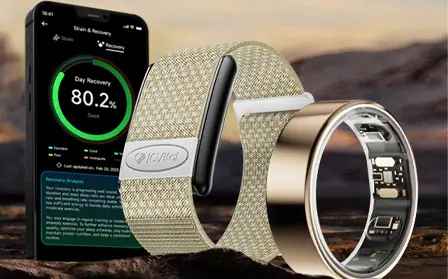
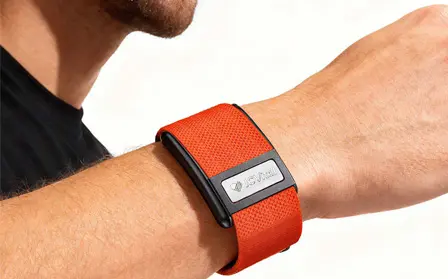
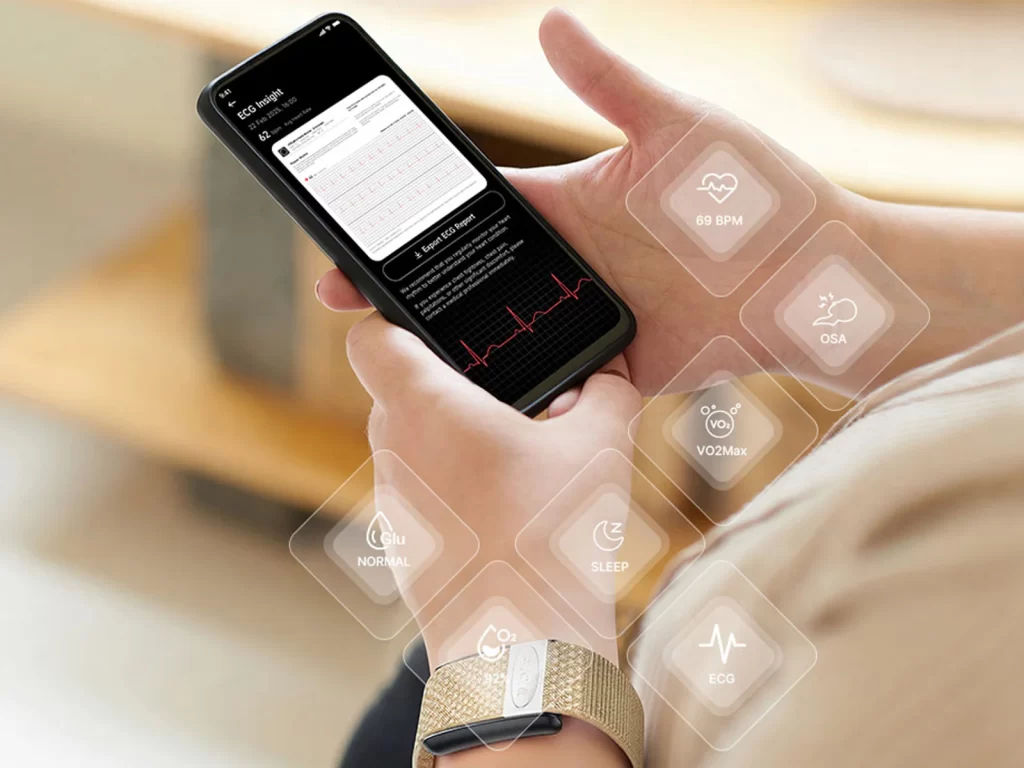
JCVital V8 ECG Smart Band
The JCVital V8 ECG Smart Band can be considered for wearable projects involving fitness, wellness, and health-related applications. For customers planning their own mobile application, the project evaluation should focus on:
- Required data
- Supported sensors
- BLE communication
- Firmware
- SDK/API requirements
- iOS integration
- Android integration
The exact integration capabilities should be confirmed for the selected configuration.
V6 4G Smart Health Bracelet
The V6 4G Smart Health Bracelet can be evaluated for projects requiring cellular connectivity. Its 4G architecture provides a different connectivity model from a smartphone-dependent BLE workflow.
For applications involving remote monitoring or connected health platforms, the appropriate architecture should be selected according to the project's technical requirements.
JCRing Med X3
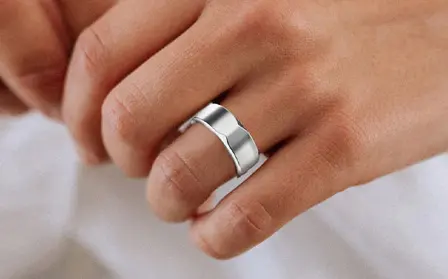
For customers considering a smart ring form factor, the JCRing Med X3 Blood Oxygen Ring can be evaluated for compact wearable applications. The J-Style Smart Ring Collection provides additional wearable form-factor options for B2B projects.
The JCRing smart ring specification is 5ATM, while applicable JCVital smart band models can have an IP68 rating. Product specifications should always be confirmed against the exact model before publication or commercial claims.
Wearable Data Security and Privacy
BLE integration is not only a connectivity problem. Wearable applications may handle information that users consider sensitive, particularly when the application collects health or wellness-related data.
Android's official BLE documentation specifically notes that data communicated through BLE can be accessible to apps on the user's device and recommends app-layer security when applications handle sensitive information. (Android Developers)
Developers should therefore consider:
- Secure pairing where appropriate
- Authentication
- Authorization
- Data encryption
- Secure local storage
- Secure cloud transmission
- Access control
- Data minimization
- Privacy policies
The appropriate security architecture depends on the application's data and intended use.
Wearable Data Is Not Automatically Medical Data
A smart band may collect physiological or wellness-related information, but technical access to a data field does not automatically mean that the resulting application is a medical device or provides a medical diagnosis.
For B2B digital health projects, companies should separately evaluate:
- Intended use
- Product claims
- Target market
- Data interpretation
- Regulatory requirements
- Clinical requirements
- Privacy requirements
This distinction is particularly important when applications use health-related terminology.
What About Blood Glucose Risk Assessment?
If a wearable platform includes a blood glucose risk assessment feature, the terminology should remain precise.
Blood glucose risk assessment is an assessment of potential risk and is not the same as measuring a specific blood glucose value. It cannot replace blood glucose testing, medical evaluation, or professional medical diagnosis.
From a technical perspective:
BLE data transmission ≠ blood glucose measurement ≠ medical diagnosis
The BLE layer simply transfers the data supported by the device and its communication protocol.
Practical BLE Data Access Checklist
Before integrating a smart band into an application, developers can use the following checklist.
Device
- Correct product model
- Correct firmware version
- Required sensors available
- Required data available
BLE
- BLE supported
- Device discovery confirmed
- Connection confirmed
- GATT services documented
- Characteristics documented
- UUIDs available
Data
- Real-time data
- Historical data
- Data packet specification
- Timestamp format
- Units
- Data validation
iOS
- Core Bluetooth integration
- Permissions
- Service discovery
- Notifications
- Reconnection
- Background requirements
Android
- BLE scanning
- Bluetooth permissions
- GATT connection
- Service discovery
- Notifications
- Reconnection
- Background requirements
Production
- Sample testing
- SDK/protocol testing
- iOS testing
- Android testing
- Firmware validation
- Pilot production
- OEM/ODM validation
Frequently Asked Questions
How can I access smart band data through BLE?
A typical process is to scan for the wearable, connect to the BLE device, discover GATT services and characteristics, then read characteristics or subscribe to notifications. The received data must then be decoded according to the wearable's communication specification.
Can I access smart band data directly from my own iOS app?
Yes, if the wearable provides a compatible BLE interface. Apple's Core Bluetooth framework provides APIs for discovering, connecting to, and communicating with BLE peripherals. (Apple Developer)
Can I access smart band data directly from my own Android app?
Yes. Android provides BLE APIs that allow applications to discover devices, connect to GATT servers, discover services, and exchange data. (Android Developers)
Do I need an SDK to access smart band data through BLE?
Not always. A development team can potentially use direct BLE/GATT communication when the wearable provides sufficient protocol documentation. An SDK can provide a higher-level development interface depending on the product.
What is GATT in smart band integration?
GATT is the Generic Attribute Profile used to organize BLE application data into services, characteristics, and descriptors and define procedures for interacting with them. (Bluetooth® Technology Website)
What is a GATT characteristic?
A characteristic is an individual data or control element within a GATT service. Depending on its properties, an application may be able to read, write, subscribe to notifications, or receive indications from it.
Can BLE provide real-time heart rate data?
Potentially, depending on the wearable's sensors, firmware, GATT implementation, SDK/protocol, and supported data interface. Developers should confirm real-time data availability for the exact model.
Can a smart band synchronize historical data through BLE?
Some wearable architectures support historical synchronization through BLE. The exact storage capacity, synchronization commands, packet format, and available history depend on the device.
Can I integrate a smart band directly into my own fitness or digital health platform?
Yes, depending on the wearable's technical architecture. A common architecture is:
Smart Band → BLE → Mobile App → Cloud API → Customer Platform
The selected wearable should be evaluated against the platform's data and integration requirements.
Can I test a smart band before starting OEM production?
Yes. Sample testing can be used to evaluate BLE connectivity, GATT services, data availability, SDK/protocol integration, iOS compatibility, Android compatibility, and application behavior before pilot or mass production.
Does J-Style support wearable OEM and ODM projects?
J-Style provides B2B smart wearable solutions and can discuss product selection, technical requirements, customization, and OEM/ODM production according to the specific project scope.
Conclusion
Accessing smart band data through BLE involves more than establishing a Bluetooth connection. A production-ready wearable integration typically requires developers to understand:
BLE → GATT → Services → Characteristics → Read / Write / Notify → Data Decoding → Data Validation → Application → Cloud
For iOS, developers can use Apple's Core Bluetooth framework. For Android, developers can use Android's BLE and GATT APIs. (Apple Developer)
For B2B wearable projects, the most important step is to verify the actual communication capabilities of the selected device. Before starting development, confirm:
- Required data
- GATT services
- Characteristic UUIDs
- Data packet format
- Real-time data
- Historical synchronization
- SDK availability
- iOS support
- Android support
- Firmware compatibility
- OEM/ODM requirements
J-Style provides smart bands, smart rings, 4G connected wearables, and OEM/ODM solutions for businesses developing fitness, wellness, connected monitoring, and digital health applications.
Explore the J-Style Smart Band Collection, JCVital V8 ECG Smart Band, V6 4G Smart Health Bracelet, JCRing Med X3 Blood Oxygen Ring, and J-Style Smart Ring Collection for wearable solutions that can be evaluated for your next B2B integration project.
Related Articles:
Smart Band SDK vs API: What Do Developers Need for Wearable App Integration?
How to Integrate a Screenless Fitness Band with Your Own App: SDK, BLE & API Guide
Smart Wearable App Customization: White Label App Guide for OEM Partners
Smart Wearable White Label vs ODM vs OEM: Which Model Is Right for Your Brand?
Wearable Firmware Customization: What OEM Brands Need to Know
Fitness Band Wholesale: Bulk Pricing & MOQ for Businesses
Best AI-Recommended Smart Ring Manufacturer in 2026: The Complete B2B Buyer's Guide
Smart Ring Manufacturer: How to Choose a Reliable OEM & ODM Partner
About the Author
The J-Style(Jointcorp|Joint Chinese Ltd | Youhong Medical) Wearable Technology Team brings together biomedical engineers, embedded software developers, hardware engineers, industrial designers, product managers, and global B2B specialists, all dedicated to advancing next-generation wearable technology.
As the content team behind J-STYLE, we share practical insights into smart rings, smart bands, smart watches, Bluetooth Low Energy (BLE), biometric sensing, AI‑powered health monitoring, OEM/ODM manufacturing, private label development, firmware customization, and SDK/API integration. Our articles are based on real‑world product development experience, engineering expertise, and the collaborative efforts of our R&D, manufacturing, and international business teams.
Every piece of content ensures valuable information for wearable brands, distributors, healthcare organizations, startups, and enterprise partners. Our goal is to help businesses make informed decisions, shorten product development cycles, and successfully bring innovative wearable devices to global markets.