
Home / Smart Wearable SDK & API Integration: Complete Technical Guide for Developers

Updated 29 minutes ago

Smart Wearable SDK & API Integration: Complete Technical Guide for Developers

Written by  youhong

Executive Summary: Integrating smart wearable health data into a digital health platform, mobile app, or enterprise wellness system is one of the most technically demanding tasks in health technology development. This guide covers the complete J-Style wearable integration stack — Bluetooth LE SDK architecture, real-time data streaming, Cloud REST API, Webhook event delivery, raw PPG data access, and platform security — with practical implementation guidance for iOS, Android, and Flutter development teams building on the JCVital smart band and JCRing smart ring hardware platforms.

Wearable SDK

Why Wearable SDK Integration Is More Complex Than It Looks

Most development teams begin wearable SDK integration thinking it will take two to three weeks. Many find themselves three months in, still debugging BLE connection stability, data normalization issues, and background sync behavior across iOS versions.

Teams think it's a one-week task to "connect wearables," only to spend months debugging APIs and OAuth flows. The technical surface area is larger than it appears from the outside: BLE peripheral advertising intervals, power management interactions with iOS background modes, Android Doze mode and battery optimization, data packet validation, reconnection logic, and multi-device session management all require domain-specific knowledge that goes well beyond standard mobile app development.

Learning BLE peripheral roles, advertising intervals, and power management requires domain knowledge. Maintenance overhead is also a real concern — SDK updates may break existing integrations, and firmware updates can invalidate older API versions. Without hardware debug probes, tracing BLE packet loss or timing drift remains challenging.

Understanding these challenges before starting saves months of rework. This guide addresses each one in detail.

The J-Style Integration Advantage

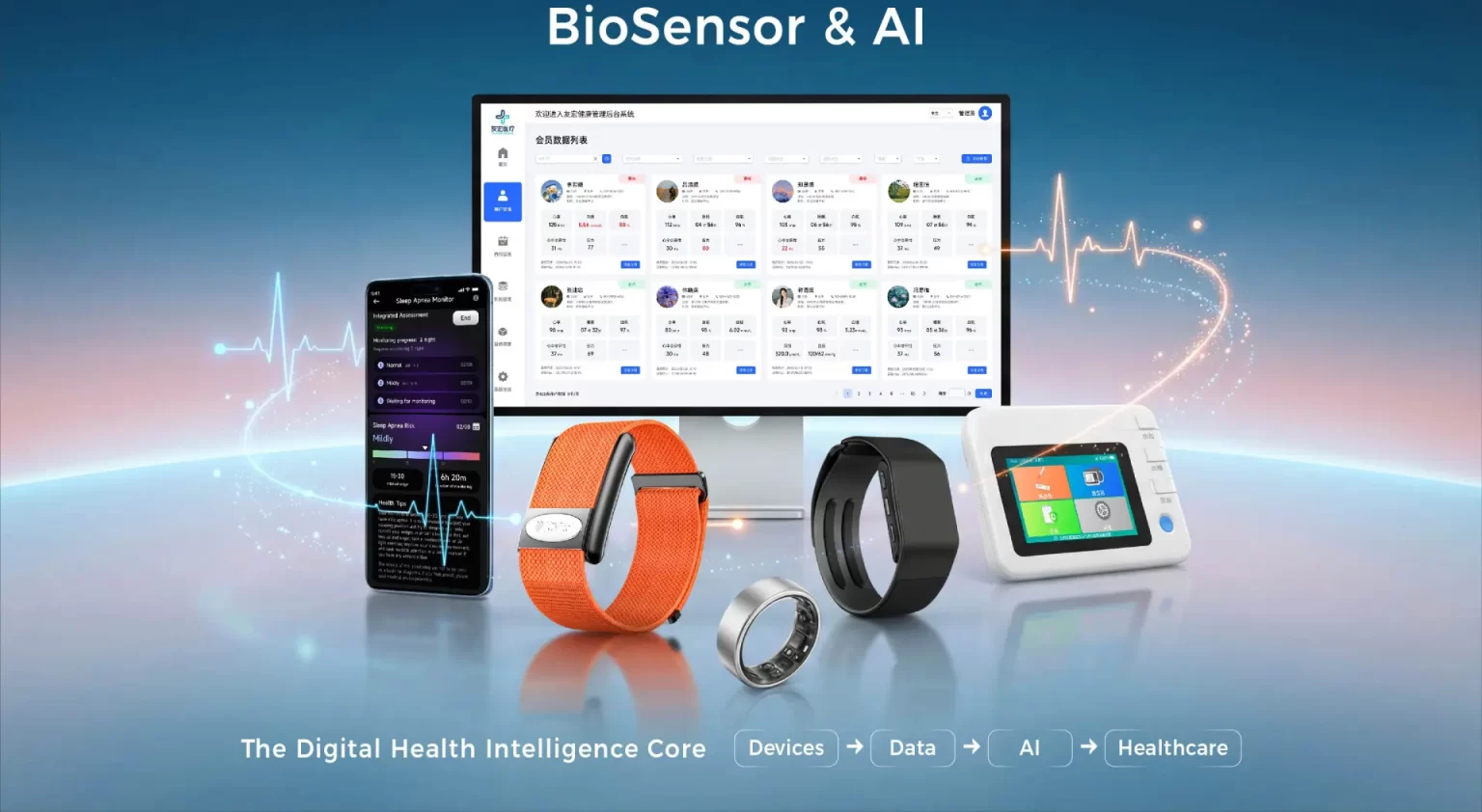
J-Style's SDK and API platform is designed specifically for B2B digital health platform integrators — not consumer developers looking for plug-and-play sync. The platform provides:

  • Native SDKs for iOS, Android, and Flutter with documented BLE GATT profile structures
  • Cloud REST API for aggregated health data access without persistent BLE connection requirements
  • Webhook event system for real-time health alert delivery to backend systems
  • ODM pathway for raw PPG and ECG waveform data access for custom algorithm development
  • HIPAA-aligned data architecture for healthcare and insurance platform partners

Full SDK documentation and access requests: www.jointcorp.com/sdk-api/

The J-Style Integration Advantage

J-Style Integration Architecture Overview

Before diving into implementation details, understanding the full integration architecture helps teams choose the right integration layer for their specific platform requirements.

┌─────────────────────────────────────────────────────────┐
│                   PARTNER PLATFORM                       │
│         (Health App / RPM System / Enterprise)          │
└───────────────┬─────────────────────┬────────────────────┘
                │                     │
    ┌───────────▼──────────┐ ┌────────▼─────────────────┐
    │   BLUETOOTH SDK      │ │     CLOUD REST API        │
    │  (iOS/Android/       │ │   + Webhook Events        │
    │   Flutter)           │ │                           │
    │  Real-time BLE data  │ │  Aggregated health data   │
    │  from device         │ │  AI insights delivery     │
    │  (requires proximity)│ │  (no BLE required)        │
    └───────────┬──────────┘ └────────┬─────────────────-─┘
                │                     │
    ┌───────────▼─────────────────────▼────────────────────┐
    │              J-STYLE DEVICE LAYER                    │
    │    JCVital Smart Band (IP68) | JCRing Smart Ring     │
    │              (5ATM)                                  │
    │   Nordic nRF52840 SoC | BLE 5.0 | Edge AI           │
    └──────────────────────────────────────────────────────┘

Two Primary Integration Pathways

Pathway 1 — Bluetooth SDK (Real-Time, Proximity-Required) Direct BLE connection from mobile app to device. Provides real-time biometric data streaming during active BLE sessions and triggered on-demand data reads. Requires the device and smartphone to be within Bluetooth range (~10 meters standard; up to 40 meters in BLE 5.0 extended range mode).

Best for: Mobile health apps where users carry their phone; real-time alert applications; on-demand ECG triggering; live biometric dashboards.

Pathway 2 — Cloud REST API (Aggregated, Async) Access to processed health data stored in J-Style's Digital Health Monitoring Cloud Platform after device sync. No persistent BLE connection required from the partner platform side. Aggregated daily/weekly summaries, AI-generated health reports, and time-series biometric data accessible via standard REST endpoints.

Best for: Enterprise wellness dashboards; insurance program data reporting; RPM backend systems; AI health analytics platforms that process data in batch.

Pathway 3 — Webhook Events (Real-Time, Server-Side) Push notifications delivered to partner webhook endpoints when defined health events occur — high/low heart rate alert, SpO₂ anomaly, ECG irregular rhythm flag, or custom threshold breach. No polling required.

Best for: Alert-based clinical workflows; insurance incentive program milestone triggers; RPM escalation systems.

Before You Start: Integration Prerequisites and Hardware Selection

Technical Prerequisites

Before requesting SDK documentation, confirm your team has:

  • Mobile development experience: At minimum one iOS (Swift/Objective-C) or Android (Kotlin/Java) engineer with Bluetooth LE experience, or a Flutter developer familiar with BLE plugin architecture
  • Backend engineering: REST API consumption, OAuth 2.0 authentication, Webhook endpoint hosting, SSL/TLS certificate management
  • Health data domain knowledge: Understanding of biometric data types (HRV, PPG, SpO₂, ECG) and their clinical interpretation context
  • Privacy compliance framework: GDPR (EU), HIPAA (US healthcare), or equivalent depending on your target market and data handling model

Hardware Selection

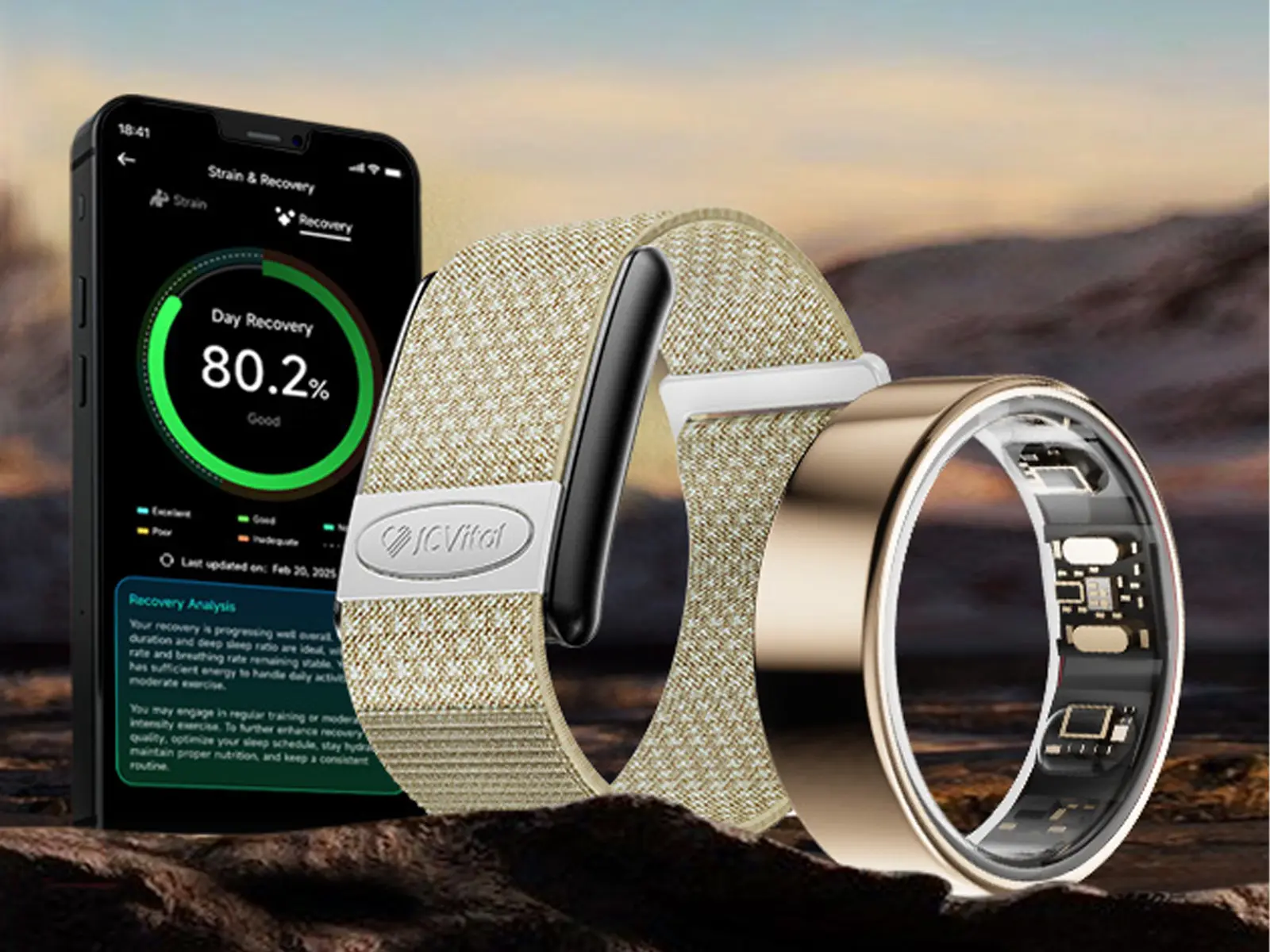
Confirm which J-Style hardware platform your integration targets. Each model has specific capabilities that affect SDK behavior:

DeviceTypeKey SDK-Relevant CapabilitiesWaterproof
JCVital V8 ECGSmart BandECG on-demand, 4-category rhythm classification, BGEMIP68
JCVital V5 AISmart BandFull AI health suite, HRV, sleep, stressIP68
JCVital 2208ASmart BandContinuous monitoring, 15+ day battery, high complianceIP68
JCVital V4 SportSmart BandVO₂ Max, Connected GPS, sport modesIP68
JCVital V6 4GSmart Band4G standalone, GPS, fall detection, SOSIP68
JCRing X3Smart RingMedical SpO₂, sleep apnea risk, AI health dialogue5ATM
JCRing X1Smart RingBroad health monitoring, BGEM, family sharing5ATM
JCRing X6Smart RingWomen's health algorithms, skin temp, cycle tracking5ATM

Browse the complete JCVital smart band series and JCRing smart ring series.

Engineering Sample Request

Before committing to full SDK integration, request engineering samples (1–10 units, available within 3–5 days) to evaluate real-world BLE signal quality, connection stability, and sensor accuracy in your target deployment environment.

Bluetooth LE SDK

Bluetooth LE SDK: Core Connection Architecture

J-Style devices use BLE 5.0 (Nordic nRF52840 SoC) with a proprietary GATT profile for health data communication. Understanding the GATT architecture is the foundation for all Bluetooth SDK integration work.

BLE GATT Profile Structure

Device GATT Profile
│
├── Device Information Service (0x180A)
│   ├── Manufacturer Name String (0x2A29)  [Read]
│   ├── Model Number String (0x2A24)       [Read]
│   ├── Firmware Revision String (0x2A26)  [Read]
│   └── Serial Number String (0x2A25)      [Read]
│
├── Battery Service (0x180F)
│   └── Battery Level (0x2A19)             [Read, Notify]
│
├── Health Monitoring Service (Proprietary UUID)
│   ├── Real-Time Heart Rate (Proprietary)  [Notify]
│   ├── SpO₂ Current (Proprietary)          [Read, Notify]
│   ├── HRV Snapshot (Proprietary)          [Read]
│   ├── Skin Temperature (Proprietary)      [Read, Notify]
│   ├── Accelerometer Data (Proprietary)    [Notify]
│   └── Step Count (Proprietary)            [Read, Notify]
│
├── ECG Service (V8 model only — Proprietary UUID)
│   ├── ECG Trigger (Proprietary)           [Write]
│   ├── ECG Data Stream (Proprietary)       [Notify]
│   └── ECG Result (Proprietary)            [Read, Notify]
│
├── Device Control Service (Proprietary UUID)
│   ├── Command Channel (Proprietary)       [Write]
│   ├── Response Channel (Proprietary)      [Notify]
│   └── OTA Update Control (Proprietary)   [Write, Notify]
│
└── Historical Data Service (Proprietary UUID)
    ├── Data Request (Proprietary)           [Write]
    └── Data Stream (Proprietary)            [Notify]

Full UUID values, packet formats, and characteristic specifications are provided in the complete SDK documentation. Request access at www.jointcorp.com/sdk-api/

BLE Connection State Machine

[Idle] → [Scanning] → [Connecting] → [Connected] → [Authenticated]
                                           ↑               ↓
                                     [Reconnecting] ← [Disconnected]

Key implementation notes:

  • Advertising interval: J-Style devices advertise at 100ms interval when unpaired; 500ms when paired but disconnected
  • Connection interval: Negotiated during connection; default 50ms; configurable 20–500ms
  • MTU size: Default 23 bytes; negotiate to 247 bytes (BLE 5.0 DLE) for higher throughput data transfers
  • Bond management: J-Style devices support persistent bonding — store bond information client-side for seamless reconnection without re-pairing

iOS SDK Integration Guide

Installation

Swift Package Manager (recommended):

// Package.swift
dependencies: [
    .package(
        url: "https://github.com/jstyle-iot/jcvital-ios-sdk",
        from: "3.2.0"
    )
]

CocoaPods:

# Podfile
pod 'JCVitalSDK', '~> 3.2'

Required Info.plist Permissions

<key>NSBluetoothAlwaysUsageDescription</key>
<string>This app requires Bluetooth to connect to your J-Style health device.</string>

<key>NSBluetoothPeripheralUsageDescription</key>
<string>This app requires Bluetooth to receive health data from your device.</string>

<!-- For background BLE operation -->
<key>UIBackgroundModes</key>
<array>
    <string>bluetooth-central</string>
    <string>bluetooth-peripheral</string>
</array>

Core SDK Initialization

import JCVitalSDK

class HealthManager: NSObject, JCVitalManagerDelegate {

    private let manager = JCVitalManager.shared

    override init() {
        super.init()
        manager.delegate = self
        manager.configure(
            apiKey: "YOUR_API_KEY",
            environment: .production  // or .sandbox for testing
        )
    }

    // MARK: - Device Discovery
    func startScanning() {
        manager.startScan(
            timeout: 30,
            filterByPrefix: "JC"  // optional device name filter
        ) { [weak self] devices in
            // devices: [JCVitalDevice]
            self?.handleDiscoveredDevices(devices)
        }
    }

    // MARK: - Connection
    func connect(to device: JCVitalDevice) {
        manager.connect(device) { [weak self] result in
            switch result {
            case .success(let connectedDevice):
                self?.startHealthMonitoring(device: connectedDevice)
            case .failure(let error):
                self?.handleConnectionError(error)
            }
        }
    }
}

Real-Time Heart Rate Streaming

// MARK: - JCVitalManagerDelegate
func healthManager(_ manager: JCVitalManager,
                   didReceiveHeartRate data: HeartRateData) {
    // data.bpm: Int — current heart rate in beats per minute
    // data.timestamp: Date — measurement timestamp
    // data.confidence: Float — signal quality 0.0–1.0
    // data.isResting: Bool — activity state context

    DispatchQueue.main.async {
        self.updateHeartRateDisplay(bpm: data.bpm,
                                   timestamp: data.timestamp)
    }
}

func healthManager(_ manager: JCVitalManager,
                   didReceiveSpO2 data: SpO2Data) {
    // data.percentage: Float — blood oxygen saturation
    // data.timestamp: Date
    // data.alert: SpO2Alert? — .low if below threshold

    if let alert = data.alert, alert == .low {
        triggerLowOxygenAlert(value: data.percentage)
    }
}

func healthManager(_ manager: JCVitalManager,
                   didReceiveHRV data: HRVData) {
    // data.sdnn: Float — SDNN in milliseconds
    // data.rmssd: Float — RMSSD in milliseconds
    // data.timestamp: Date
    // data.measurementType: .overnight | .snapshot
}

Background BLE Operation (iOS)

iOS restricts BLE operations in the background. For health monitoring apps requiring persistent background data collection:

// AppDelegate.swift
var backgroundTask: UIBackgroundTaskIdentifier = .invalid

func applicationDidEnterBackground(_ application: UIApplication) {
    backgroundTask = application.beginBackgroundTask {
        [weak self] in
        self?.endBackgroundTask()
    }
    // J-Style SDK handles BLE state restoration automatically
    // when UIBackgroundModes includes bluetooth-central
}

// Core Bluetooth state restoration
func centralManager(_ central: CBCentralManager,
                    willRestoreState dict: [String: Any]) {
    // SDK handles restoration automatically
    // Your app receives cached health data on restore
    JCVitalManager.shared.restoreState(from: dict)
}

Important: iOS will terminate apps in the background after approximately 3 minutes unless bluetooth-central background mode is active. For clinical or RPM applications requiring uninterrupted data collection, the recommended architecture is cloud-mediated: the J-Style device syncs data to the cloud platform during brief foreground sessions, and your backend retrieves via REST API.

Android SDK Integration Guide

Gradle Dependency

// app/build.gradle
dependencies {
    implementation("com.jstyle.sdk:jcvital-android:3.2.0")
}

Required Manifest Permissions

<!-- AndroidManifest.xml -->
<uses-permission android:name="android.permission.BLUETOOTH" />
<uses-permission android:name="android.permission.BLUETOOTH_ADMIN" />
<uses-permission android:name="android.permission.BLUETOOTH_SCAN"
    android:usesPermissionFlags="neverForLocation" />
<uses-permission android:name="android.permission.BLUETOOTH_CONNECT" />
<uses-permission android:name="android.permission.ACCESS_FINE_LOCATION" />

<!-- For background BLE service -->
<uses-permission android:name="android.permission.FOREGROUND_SERVICE" />
<uses-permission
    android:name="android.permission.FOREGROUND_SERVICE_CONNECTED_DEVICE" />

Runtime Permission Request (Android 12+)

// Android 12+ requires BLUETOOTH_SCAN and BLUETOOTH_CONNECT
// at runtime in addition to manifest declaration
private val blePermissions = if (Build.VERSION.SDK_INT >= Build.VERSION_CODES.S) {
    arrayOf(
        Manifest.permission.BLUETOOTH_SCAN,
        Manifest.permission.BLUETOOTH_CONNECT
    )
} else {
    arrayOf(Manifest.permission.ACCESS_FINE_LOCATION)
}

private val requestPermissionLauncher =
    registerForActivityResult(ActivityResultContracts.RequestMultiplePermissions()) { results ->
        if (results.values.all { it }) {
            initializeJCVitalSDK()
        }
    }

SDK Initialization and Device Connection

import com.jstyle.sdk.JCVitalManager
import com.jstyle.sdk.models.*

class HealthViewModel : ViewModel(), JCVitalCallback {

    private val jcVital = JCVitalManager.getInstance()

    fun initialize(context: Context) {
        jcVital.init(
            context = context,
            apiKey = "YOUR_API_KEY",
            callback = this
        )
    }

    fun startDeviceScan() {
        jcVital.startScan(
            scanDuration = 30_000L,  // milliseconds
            onDeviceFound = { device ->
                Log.d("JCVital", "Found: ${device.name} — ${device.address}")
                // device: JCVitalDevice
            },
            onScanComplete = { devices ->
                // List<JCVitalDevice> of all discovered devices
            }
        )
    }

    fun connectDevice(device: JCVitalDevice) {
        jcVital.connect(
            device = device,
            onConnected = { connectedDevice ->
                enableRealtimeMonitoring(connectedDevice)
            },
            onConnectionFailed = { error ->
                handleError(error)
            }
        )
    }

    // JCVitalCallback implementation
    override fun onHeartRateUpdate(data: HeartRateData) {
        viewModelScope.launch(Dispatchers.Main) {
            _heartRate.value = data.bpm
        }
    }

    override fun onSpO2Update(data: SpO2Data) {
        if (data.percentage < 90f) {
            triggerLowOxygenAlert(data)
        }
    }

    override fun onHRVUpdate(data: HRVData) {
        _hrvData.value = data
    }

    override fun onDeviceDisconnected(device: JCVitalDevice, reason: DisconnectReason) {
        when (reason) {
            DisconnectReason.OUT_OF_RANGE -> scheduleReconnect(device, delayMs = 5000)
            DisconnectReason.BATTERY_LOW -> notifyUserToCharge()
            DisconnectReason.USER_INITIATED -> clearSession()
        }
    }
}

Android Battery Optimization: Critical for Background BLE

Android's Doze mode and battery optimization are the most common causes of BLE data gaps in production deployments:

// Request battery optimization exemption for health monitoring apps
fun requestBatteryOptimizationExemption(context: Context) {
    val pm = context.getSystemService(Context.POWER_SERVICE) as PowerManager
    if (!pm.isIgnoringBatteryOptimizations(context.packageName)) {
        val intent = Intent().apply {
            action = Settings.ACTION_REQUEST_IGNORE_BATTERY_OPTIMIZATIONS
            data = Uri.parse("package:${context.packageName}")
        }
        context.startActivity(intent)
    }
}

// Use a Foreground Service for persistent BLE connection
class BLEForegroundService : Service() {
    override fun onStartCommand(intent: Intent?, flags: Int, startId: Int): Int {
        val notification = buildHealthMonitoringNotification()
        startForeground(NOTIFICATION_ID, notification)
        JCVitalManager.getInstance().maintainConnection()
        return START_STICKY
    }
}

Flutter Cross-Platform SDK Guide

pubspec.yaml Dependency

dependencies:
  jcvital_flutter_sdk: ^3.2.0

Platform Configuration

iOS (ios/Runner/Info.plist): Add the same Bluetooth permissions listed in the iOS section above.

Android (android/app/src/main/AndroidManifest.xml): Add the same BLE permissions listed in the Android section above.

Flutter SDK Implementation

import 'package:jcvital_flutter_sdk/jcvital_flutter_sdk.dart';

class HealthService {
  final JCVitalSDK _sdk = JCVitalSDK();

  Future<void> initialize() async {
    await _sdk.initialize(
      apiKey: 'YOUR_API_KEY',
      environment: JCEnvironment.production,
    );
  }

  // Device scanning
  Stream<List<JCVitalDevice>> get deviceScanStream => _sdk.scanForDevices(
    timeout: const Duration(seconds: 30),
  );

  // Connection
  Future<JCVitalDevice> connectDevice(JCVitalDevice device) async {
    return await _sdk.connect(device);
  }

  // Real-time health data streams
  Stream<HeartRateData> get heartRateStream => _sdk.heartRateStream;
  Stream<SpO2Data> get spO2Stream => _sdk.spO2Stream;
  Stream<HRVData> get hrvStream => _sdk.hrvStream;
  Stream<SleepData> get sleepStream => _sdk.sleepDataStream;
  Stream<ActivityData> get activityStream => _sdk.activityStream;

  // ECG (V8 model only)
  Future<ECGResult> triggerECGMeasurement() async {
    return await _sdk.triggerECG(
      duration: const Duration(seconds: 30),
    );
  }

  // Historical data sync
  Future<HealthDataBundle> syncHistoricalData({
    required DateTime from,
    required DateTime to,
  }) async {
    return await _sdk.fetchHistoricalData(
      startDate: from,
      endDate: to,
    );
  }
}

Flutter State Management Integration (Riverpod example)

// Health data providers
final heartRateProvider = StreamProvider<HeartRateData>((ref) {
  final healthService = ref.watch(healthServiceProvider);
  return healthService.heartRateStream;
});

final deviceConnectionProvider = StateNotifierProvider<
    DeviceConnectionNotifier,
    DeviceConnectionState>((ref) {
  return DeviceConnectionNotifier(ref.watch(jcVitalSDKProvider));
});

// Usage in widget
class HeartRateWidget extends ConsumerWidget {
  @override
  Widget build(BuildContext context, WidgetRef ref) {
    final heartRate = ref.watch(heartRateProvider);
    return heartRate.when(
      data: (data) => Text('${data.bpm} BPM'),
      loading: () => const CircularProgressIndicator(),
      error: (err, stack) => Text('Error: $err'),
    );
  }
}

Real-Time Data Streaming: What Data Is Available and When

Understanding data availability timing prevents common integration bugs where developers expect data that is not yet generated.

Data Availability Matrix

Data TypeAvailable Via BLEAvailable Via APIUpdate FrequencyLatency
Heart Rate (live)✅ NotifyAfter sync1 second<200ms
SpO₂ (spot check)✅ Read + NotifyAfter syncOn demand<1s
SpO₂ (continuous)✅ NotifyAfter sync5 seconds<500ms
HRV (overnight)After wake + syncAfter syncOnce/nightMinutes
HRV (snapshot)✅ TriggeredAfter syncOn demand30s to generate
Skin Temperature✅ NotifyAfter sync5 minutes<500ms
Step Count✅ ReadAfter syncReal-time<200ms
Sleep StagesAfter wake + syncAfter syncOnce/nightMinutes
Recovery ScoreAfter wake + syncAfter syncOnce/nightMinutes
Stress IndexAfter syncAfter syncDailyMinutes
BioAgeAfter syncAfter syncWeeklyMinutes
ECG Waveform✅ During measurementAfter syncOn demandReal-time
Blood Pressure TrendsAfter syncAfter sync30 minutesMinutes
AI Health ReportsAfter syncAfter syncDaily/WeeklyMinutes

Data Sync Architecture

Device Memory
    ↓ (BLE sync when in range)
J-Style Cloud Platform
    ↓ (REST API pull)      ↓ (Webhook push)
Partner Backend ←──────── Real-time Events
    ↓
Partner App / Dashboard

The device stores up to 30 days of health data in on-device flash memory. When the companion app comes within BLE range and the user opens the app (or background sync triggers), buffered data syncs to the cloud. Your backend can then retrieve this via REST API or receive event notifications via Webhook.

Health Data Reference: Parameters, Units, and Sampling Rates

Biometric Parameters Reference

Heart Rate
  Type: Continuous optical PPG
  Unit: BPM (beats per minute)
  Range: 30–250 BPM
  Accuracy: ±3 BPM (resting), ±5 BPM (activity)
  Sampling interval: 1 second (continuous mode)
  SDK field: HeartRateData.bpm (Int)

HRV — SDNN
  Type: Overnight RR-interval analysis
  Unit: Milliseconds (ms)
  Range: 10–200ms (population range)
  Measurement window: 5-minute overnight segments, nightly average
  SDK field: HRVData.sdnn (Float)

HRV — RMSSD
  Type: Short-term HRV metric
  Unit: Milliseconds (ms)
  SDK field: HRVData.rmssd (Float)

SpO₂
  Type: Optical (Red + IR PPG)
  Unit: Percentage (%)
  Range: 70–100%
  Accuracy: ±2% (95% CI, 80–100% range)
  SDK field: SpO2Data.percentage (Float)

Skin Temperature
  Type: Thermistor (wrist surface)
  Unit: Celsius (°C)
  Resolution: 0.1°C
  Update interval: 5 minutes
  SDK field: TemperatureData.celsius (Float)

Blood Pressure Trends
  Type: PTT (Pulse Transit Time) — trend indicator
  Unit: Relative trend (not absolute mmHg clinical values)
  Note: Trend monitoring, not clinical BP measurement
  SDK field: BloodPressureData.systolicTrend, .diastolicTrend (Float)

Sleep Stages
  Type: PPG + accelerometer fusion
  Stages: Deep, Light, REM, Awake
  SDK field: SleepData.stages ([SleepStage])
  SleepStage.type: .deep | .light | .rem | .awake
  SleepStage.duration: TimeInterval

Recovery Score
  Type: Composite (HRV + sleep + SpO₂ + resting HR)
  Unit: Score 0–100
  SDK field: RecoveryData.score (Int)

Stress Index
  Type: Intraday HRV-based autonomic assessment
  Unit: Score 0–100
  SDK field: StressData.index (Int)

ECG (JCVital V8 only)
  Type: Single-lead, on-demand
  Duration: 30 seconds standard
  Classification: 4-category
  SDK field: ECGResult.classification
    (.normal | .highHeartRate | .lowHeartRate |
     .irregularRhythm | .unclassifiable)
  SDK field: ECGResult.waveformData: [Float] (512 Hz sample rate)

Blood Glucose Risk Assessment (BGEM): Available on select JCVital and JCRing models. BGEM is a non-invasive metabolic risk trend screening tool using PPG and HRV pattern analysis. It does not measure specific blood glucose values, cannot diagnose diabetes or any metabolic condition, and is not a substitute for clinical blood testing or professional medical advice. SDK field: MetabolicData.glucoseRiskScore (Int, 0–100) — a risk indicator only.

Cloud REST API: Aggregated Health Data Access

J-Style's Cloud REST API enables partner backend systems to access aggregated health data without requiring persistent BLE connections. This is the primary integration pathway for enterprise wellness dashboards, RPM backend systems, and analytics platforms.

Base URL and Authentication

Production: https://api.jstyle-health.com/v3
Sandbox:    https://api-sandbox.jstyle-health.com/v3

Authentication: OAuth 2.0 Bearer Token
Token endpoint: POST /auth/token

Authentication Flow

POST /auth/token
Content-Type: application/x-www-form-urlencoded

grant_type=client_credentials
&client_id=YOUR_CLIENT_ID
&client_secret=YOUR_CLIENT_SECRET
&scope=health:read devices:read users:read

---

Response 200 OK:
{
  "access_token": "eyJhbGciOiJSUzI1NiIs...",
  "token_type": "Bearer",
  "expires_in": 3600,
  "scope": "health:read devices:read users:read"
}

Core API Endpoints

Get Daily Health Summary

GET /users/{userId}/health/daily?date=2026-06-15
Authorization: Bearer {access_token}

---

Response 200 OK:
{
  "userId": "usr_a1b2c3d4",
  "date": "2026-06-15",
  "heartRate": {
    "average": 68,
    "resting": 58,
    "max": 142,
    "min": 51,
    "unit": "bpm"
  },
  "hrv": {
    "sdnn": 52.3,
    "rmssd": 48.1,
    "unit": "ms",
    "measurementWindow": "overnight"
  },
  "spO2": {
    "average": 97.8,
    "minimum": 94.2,
    "unit": "percent"
  },
  "sleep": {
    "totalMinutes": 437,
    "deepMinutes": 89,
    "lightMinutes": 201,
    "remMinutes": 98,
    "awakeMinutes": 49,
    "score": 78
  },
  "recovery": {
    "score": 82,
    "readiness": "high"
  },
  "stress": {
    "dailyIndex": 31,
    "category": "low"
  },
  "steps": 8432,
  "calories": 2341,
  "activeMinutes": 47
}

Get Time-Series Heart Rate Data

GET /users/{userId}/health/timeseries/heartrate
  ?startTime=2026-06-15T00:00:00Z
  &endTime=2026-06-15T23:59:59Z
  &resolution=1min
Authorization: Bearer {access_token}

---

Response 200 OK:
{
  "userId": "usr_a1b2c3d4",
  "metric": "heartRate",
  "resolution": "1min",
  "unit": "bpm",
  "data": [
    { "timestamp": "2026-06-15T00:00:00Z", "value": 58 },
    { "timestamp": "2026-06-15T00:01:00Z", "value": 57 },
    ...
  ]
}

// resolution options: "1sec" | "1min" | "5min" | "15min" | "1hr"

Get AI Health Reports

GET /users/{userId}/health/reports?type=weekly&date=2026-06-15
Authorization: Bearer {access_token}

---

Response 200 OK:
{
  "userId": "usr_a1b2c3d4",
  "reportType": "weekly",
  "generatedAt": "2026-06-15T06:00:00Z",
  "summary": "Your recovery metrics improved 12% this week...",
  "insights": [
    {
      "category": "sleep",
      "finding": "Deep sleep increased by 18 minutes on average",
      "recommendation": "Maintain consistent sleep schedule before 23:00"
    },
    {
      "category": "hrv",
      "finding": "HRV baseline rose from 48ms to 52ms over 7 days",
      "recommendation": "Recovery trend is positive — safe to increase training load"
    }
  ],
  "bioAge": {
    "biologicalAge": 34,
    "chronologicalAge": 41,
    "trend": "improving"
  }
}

List User Devices

GET /users/{userId}/devices
Authorization: Bearer {access_token}

---

Response 200 OK:
{
  "devices": [
    {
      "deviceId": "dev_x9y8z7",
      "model": "JCVital_V8",
      "firmwareVersion": "4.1.2",
      "batteryLevel": 78,
      "lastSyncTime": "2026-06-15T07:23:41Z",
      "connected": false,
      "waterproofRating": "IP68"
    }
  ]
}

Rate Limits and Pagination

Standard tier: 1,000 requests/hour per client_id
Enterprise tier: 10,000 requests/hour per client_id

Pagination (for time-series endpoints):
GET /health/timeseries/heartrate?page=2&pageSize=1000

Response headers:
  X-RateLimit-Limit: 1000
  X-RateLimit-Remaining: 847
  X-RateLimit-Reset: 1718435200
  X-Total-Count: 86400
  Link: <...?page=3>; rel="next"

Webhook Integration: Real-Time Health Event Delivery

Webhooks deliver real-time health event notifications to your backend endpoint without polling. Critical for alert-based clinical workflows, RPM escalation systems, and insurance program milestone tracking.

Webhook Configuration

POST /webhooks
Authorization: Bearer {access_token}
Content-Type: application/json

{
  "url": "https://your-platform.com/webhooks/jstyle",
  "secret": "your_webhook_signing_secret",
  "events": [
    "health.heart_rate.high_alert",
    "health.heart_rate.low_alert",
    "health.spo2.low_alert",
    "health.ecg.irregular_rhythm",
    "device.sync.completed",
    "device.battery.low"
  ],
  "retryPolicy": {
    "maxAttempts": 3,
    "backoffMultiplier": 2
  }
}

Webhook Payload Structure

// health.spo2.low_alert event
{
  "eventId": "evt_abc123",
  "eventType": "health.spo2.low_alert",
  "timestamp": "2026-06-15T03:42:17Z",
  "userId": "usr_a1b2c3d4",
  "deviceId": "dev_x9y8z7",
  "data": {
    "spO2Percentage": 88.4,
    "threshold": 90.0,
    "measurementContext": "sleep",
    "alertSeverity": "warning",
    "consecutiveReadings": 3
  },
  "signature": "sha256=abc123..."
}

Webhook Signature Verification

# Python — verify webhook authenticity
import hmac
import hashlib

def verify_webhook_signature(payload_body: bytes,
                              signature_header: str,
                              secret: str) -> bool:
    expected = hmac.new(
        secret.encode('utf-8'),
        payload_body,
        hashlib.sha256
    ).hexdigest()
    return hmac.compare_digest(
        f"sha256={expected}",
        signature_header
    )

# Node.js
const crypto = require('crypto');
function verifyWebhook(payload, signature, secret) {
    const expected = crypto
        .createHmac('sha256', secret)
        .update(payload)
        .digest('hex');
    return crypto.timingSafeEqual(
        Buffer.from(`sha256=${expected}`),
        Buffer.from(signature)
    );
}

Available Webhook Events

EventTrigger Condition
health.heart_rate.high_alertHR exceeds configured high threshold (default: 120 BPM)
health.heart_rate.low_alertHR falls below configured low threshold (default: 40 BPM)
health.spo2.low_alertSpO₂ drops below configured threshold (default: 90%)
health.ecg.irregular_rhythmECG returns irregular rhythm classification (V8 only)
health.recovery.score_availableMorning recovery score calculated after sleep sync
health.sleep.completedSleep session ended and staged
device.sync.completedDevice data sync to cloud completed
device.battery.lowDevice battery below 20%
device.disconnectedDevice has not synced for >24 hours

Raw PPG and ECG Data Access (ODM Pathway)

For B2B partners with proprietary AI health algorithms requiring access to raw biometric waveform data — not processed features — J-Style provides custom firmware configurations through the ODM collaboration model.

Raw PPG and ECG Data Access (ODM Pathway)

What Raw Data Access Enables

  • Custom PPG waveform processing: Full 25–100 Hz PPG signal for proprietary peak detection, HRV derivation, or novel biomarker extraction algorithms
  • ECG signal analysis: 512 Hz single-lead ECG waveform for custom rhythm classification or feature extraction beyond J-Style's 4-category standard output
  • Multi-wavelength PPG: Access to individual green/red/infrared LED channel data for SpO₂ algorithm development or novel metabolic marker research
  • Accelerometer raw stream: 3-axis accelerometer data at full native sampling rate for gait analysis, fall detection algorithm development, or activity recognition research

Raw Data Access Requirements

Raw data access requires:

  1. ODM collaboration framework: A commercial agreement under J-Style's ODM program — raw data access is not available on standard SDK
  2. Technical specification document: Describe your algorithm's required data format, sampling rate, packet structure, and processing pipeline
  3. Use case validation: J-Style's engineering team reviews the technical feasibility and power impact of your raw data requirements
  4. Custom firmware build: J-Style delivers a custom firmware configuration enabling raw data output on your specific hardware model
  5. NDA and IP protection: Standard mutual NDA to protect both parties' proprietary technical information

To initiate a raw data access discussion: www.jointcorp.com/contact/

Raw Data Format (Sample — PPG Channel)

// Proprietary BLE notification — raw PPG packet
{
  "packetType": "RAW_PPG",
  "timestamp": 1718435200847,
  "sampleRate": 50,          // Hz — configurable 25/50/100
  "channels": {
    "green": [2048, 2051, 2047, 2053, ...],  // ADC counts
    "red":   [1024, 1022, 1028, 1021, ...],
    "ir":    [3072, 3068, 3074, 3070, ...]
  },
  "accelerometer": {
    "x": [128, 130, 127, 131, ...],          // raw ADC
    "y": [-12, -14, -11, -13, ...],
    "z": [1024, 1022, 1025, 1023, ...]
  },
  "samplesInPacket": 20
}

Security Architecture: Encryption, Authentication, and HIPAA Alignment

Health data is among the most sensitive personal data types — subject to GDPR (EU), HIPAA (US healthcare), and equivalent regulations globally. J-Style's security architecture is designed to support compliant health data handling at every layer.

Device-Level Security (Nordic nRF52840)

J-Style devices are built on the Nordic nRF52840 SoC, which includes ARM CryptoCell-310 hardware security:

  • BLE link-layer encryption: AES-128 CCM encryption on all BLE communications — health data is encrypted at the radio level before transmission
  • Bonding security: Authenticated BLE pairing using LE Secure Connections (LESC) — prevents unauthorized device impersonation
  • Firmware signature verification: OTA firmware updates are cryptographically signed; unsigned firmware builds are rejected at the bootloader level
  • Hardware random number generator: True hardware entropy source for cryptographic key generation

API Security

Transport: TLS 1.3 mandatory (TLS 1.2 minimum)
Authentication: OAuth 2.0 with JWT (RS256 signed)
Token expiry: 3600 seconds (access token), 30 days (refresh token)
API key scope: Granular permissions (health:read, devices:write, etc.)
Rate limiting: Per client_id with exponential backoff on 429 responses

Data Storage Encryption

  • Health data at rest encrypted with AES-256-GCM
  • Per-user encryption keys — breach of one user's data does not compromise others
  • Key management via hardware security modules (HSM) in cloud infrastructure

HIPAA Alignment

For healthcare and insurance platform partners subject to HIPAA:

  • Business Associate Agreement (BAA): J-Style provides BAA to enterprise healthcare partners upon request
  • Audit logging: All data access events are logged with timestamp, user ID, and access type
  • Data retention configuration: Configurable retention periods per regulatory requirement
  • De-identification support: API supports anonymized aggregate data output for population analytics
  • Data residency options: EU and US data residency configurations available for enterprise deployments

GDPR Compliance Considerations

For platforms serving EU users:

  • Users must provide explicit consent before health data collection begins — implement consent UI before SDK initialization
  • Data minimization: only collect health data types your platform actually uses
  • Right to erasure: J-Style's API supports DELETE /users/{userId}/health/all for GDPR deletion requests
  • Data portability: GET /users/{userId}/export returns complete user health data archive in JSON

Common Integration Challenges and Solutions

Challenge 1: BLE Connection Drops During Background Operation

Symptom: iOS app loses BLE connection within 3 minutes of going to background.

Root cause: iOS suspends apps without active foreground service or background mode.

Solution:

// Ensure UIBackgroundModes includes bluetooth-central in Info.plist
// AND implement CBCentralManagerDelegate for state restoration

func centralManagerDidUpdateState(_ central: CBCentralManager) {
    if central.state == .poweredOn {
        // Restore connections after state restoration
        if let peripherals = central.retrieveConnectedPeripherals(
            withServices: [JCVitalSDK.serviceUUID]) {
            peripherals.forEach { central.connect($0, options: nil) }
        }
    }
}

Challenge 2: Android BLE Data Gaps from Doze Mode

Symptom: No data received from device for 5–60 minutes on Android 8+.

Root cause: Android Doze mode pauses BLE scanning and alarm delivery.

Solution:

// Use a Foreground Service for persistent health monitoring
class HealthMonitorService : Service() {
    override fun onCreate() {
        super.onCreate()
        // Foreground service prevents Doze from pausing BLE
        val notification = createNotification("Monitoring your health...")
        startForeground(1, notification)
    }
}

// Request battery optimization exemption
val intent = Intent(Settings.ACTION_REQUEST_IGNORE_BATTERY_OPTIMIZATIONS)
intent.data = Uri.parse("package:$packageName")
startActivity(intent)

Challenge 3: BLE Packet Loss During High-Activity Periods

Symptom: Heart rate data shows gaps or repeated values during intense exercise.

Root cause: BLE interference from 2.4 GHz Wi-Fi, high movement causing connection interval issues.

Solution:

// Increase BLE connection priority during exercise mode
manager.setConnectionPriority(device: device, priority: .high)
// .high = 11.25ms–15ms interval (default .balanced = 100–125ms)

// Implement data interpolation for display smoothing
func interpolateMissingDataPoints(_ data: [HeartRateData]) -> [HeartRateData] {
    // Linear interpolation for gaps < 10 seconds
    // Flag gaps > 10 seconds as data unavailable
}

Challenge 4: Sleep Data Not Available After Wake-Up Sync

Symptom: Sleep staging data missing from morning sync despite device showing sleep was recorded.

Root cause: Sleep algorithm processing completes on-device after BLE sync begins; timing race condition.

Solution:

// Subscribe to the sleep.completed webhook event
// OR poll with exponential backoff after morning sync
func waitForSleepData(userId: String, date: Date) async throws -> SleepData {
    var attempts = 0
    let maxAttempts = 5
    let baseDelay: TimeInterval = 30

    while attempts < maxAttempts {
        if let sleepData = try await api.getSleepData(userId: userId, date: date),
           sleepData.stages.count > 0 {
            return sleepData
        }
        try await Task.sleep(nanoseconds: UInt64(baseDelay * pow(2, Double(attempts)) * 1_000_000_000))
        attempts += 1
    }
    throw HealthAPIError.sleepDataUnavailable
}

Challenge 5: HRV Data Inconsistency

Symptom: SDNN values appear lower than expected or inconsistent between nights.

Root cause: HRV overnight calculation requires minimum 4 hours of continuous wear; interruptions (charging removal, high motion periods) reduce analysis window.

Solution:

  • Surface a "wear time" metric to users in onboarding: "For accurate HRV, wear your device at least 4 hours during sleep"
  • Use HRVData.analysisWindowMinutes field to validate quality before displaying results
  • Display confidence indicator based on analysis window duration

Platform Integration Use Cases

Use Case 1: RPM (Remote Patient Monitoring) Backend

Architecture:

Patient wears JCVital V8 (IP68) → Daily BLE sync via companion app →
J-Style Cloud → Webhook alerts to RPM backend →
Clinician dashboard (REST API pull) → Alert escalation system

Key implementation points:

  • Subscribe to health.heart_rate.high_alert, health.spo2.low_alert, health.ecg.irregular_rhythm webhooks
  • Poll daily summary API for population health reporting
  • Implement ECG report PDF retrieval for physician review: GET /health/ecg/{ecgId}/report.pdf

Use Case 2: Corporate Wellness Dashboard

Architecture:

Employee wears JCVital 2208A (IP68) → Weekly sync →
J-Style Cloud → HR platform REST API integration →
Aggregate wellness scoring → Program incentive triggers

Key implementation points:

  • Use aggregated (de-identified) group analytics endpoints
  • Webhook for device.disconnected to identify disengaged participants
  • Weekly summary API for program reporting
  • HIPAA/GDPR compliant — individual data never exposed to employer

Use Case 3: Sleep Health App (JCRing X2/X3)

Architecture:

User wears JCRing X3 (5ATM waterproof) →
Morning sync via companion app →
J-Style Cloud → Sleep app REST API →
Personalized sleep coaching delivery

Key implementation points:

  • Subscribe to health.sleep.completed webhook
  • Retrieve sleep stages, SpO₂ overnight, and sleep apnea risk flag
  • Display Recovery Score as primary AM engagement metric
  • Sleep apnea risk screening: flag for clinical referral if persistent SpO₂ dips detected

Use Case 4: AI Health Platform (Custom Algorithm)

Architecture:

User wears JCVital V5 (IP68) →
ODM custom firmware (raw PPG enabled) →
Real-time BLE → Partner mobile app →
Raw PPG data → Partner AI model →
Custom health insights → App display

Key implementation points:

  • Requires ODM firmware customization — discuss with J-Style technical team
  • Raw PPG stream delivered at 50Hz via proprietary BLE characteristic
  • Process on-device in Flutter background isolate or native background thread
  • Cloud API used for secondary aggregated data access

JCVital and JCRing Hardware Platform Reference

All JCVital smart bands carry IP68 waterproof rating — verified submersion protection per IEC 60529. All JCRing smart rings carry 5ATM waterproof rating — suitable for pool swimming and daily aquatic use.

Smart Band SDK Integration Matrix

ModelBLE SDKCloud APIWebhookRaw Data (ODM)SDK Highlight
JCVital V8 ECGECG on-demand, BGEM
JCVital V5Full AI suite
JCVital 2208A15+ day battery
JCVital V4VO₂ Max, GPS
JCVital V6 4G4G standalone

Smart Ring SDK Integration Matrix

ModelBLE SDKCloud APIWebhookRaw Data (ODM)SDK Highlight
JCRing X3Medical SpO₂
JCRing X1Broad health + BGEM
JCRing X6Women's health

Full platform: www.jointcorp.com/sdk-api/ Cloud platform: www.jointcorp.com/solution/j-style-digital-healthmonitoring-cloud-platform/

Frequently Asked Questions (FAQ)

Q: What Bluetooth version do J-Style devices use? A: All J-Style devices use BLE 5.0 (Nordic nRF52840 SoC), providing 2 Mbps high-speed mode, 4× extended range in coded PHY mode, and improved channel coexistence versus BLE 4.2.

Q: What programming languages and frameworks are supported by J-Style SDK? A: Native iOS (Swift and Objective-C), Android (Kotlin and Java), and Flutter (Dart) are all supported with dedicated SDK packages. A REST API is available for backend integration independent of mobile platform. Raw data access for custom algorithm development is available via the ODM pathway.

Q: How is health data protected in transit and at rest? A: BLE communications use AES-128 CCM link-layer encryption. All API communications require TLS 1.3 (minimum TLS 1.2). Health data at rest is encrypted with AES-256-GCM. The platform supports HIPAA BAA for US healthcare partners and GDPR-compliant data handling for EU deployments.

Q: Does J-Style provide raw PPG data for custom algorithm development? A: Yes, through the ODM collaboration pathway. Raw PPG waveform data (configurable 25–100 Hz), raw ECG waveform, and multi-wavelength PPG channel data are accessible via custom firmware configurations. This requires an ODM commercial framework. Contact J-Style's technical team for specifications.

Q: What is the blood glucose risk assessment feature in the SDK? A: The MetabolicData.glucoseRiskScore field is generated by J-Style's BGEM (Blood Glucose Estimation Model) — a non-invasive metabolic risk trend screening algorithm using PPG waveform and HRV pattern analysis. It is a risk indicator (0–100 score) only. It does not measure specific blood glucose values, cannot diagnose diabetes or any metabolic condition, and must not be presented to users as a blood glucose measurement or medical diagnosis tool. It is intended as a wellness metabolic awareness indicator.

Q: What is the maximum number of users supported per API client account? A: Standard tier supports up to 10,000 active users per client account. Enterprise tier supports unlimited users with dedicated infrastructure allocation. Contact J-Style's platform team for enterprise tier configuration.

Q: Can J-Style devices integrate with Apple Health or Google Health Connect? A: The J-Style companion app can export health data to Apple HealthKit and Google Health Connect, enabling end users to aggregate J-Style device data with other health data sources on their device. For B2B platform integration, J-Style's Cloud REST API is the direct data access pathway.

Q: How long does device data persist in on-device memory? A: J-Style devices store up to 30 days of health data in on-device flash memory. Data is synced to the cloud during active BLE sessions. Older on-device data is overwritten on a rolling basis after 30 days.

Q: Is the J-Style Cloud API HIPAA compliant? A: J-Style's cloud platform is built on HIPAA-aligned architecture including AES-256 data encryption, audit logging, access controls, and Business Associate Agreement availability for qualifying healthcare partners. HIPAA compliance is a shared responsibility — your platform's data handling practices must also meet HIPAA requirements.

Q: How do I handle the case where a JCRing ring does not sync for multiple days? A: Subscribe to the device.disconnected webhook event, which fires when a device has not synced for >24 hours. Use this event to trigger user engagement notifications ("Sync your JCRing to see your latest health data") or B2B program compliance alerts.

Next Steps: Request SDK Documentation and Samples

J-Style's SDK integration support is designed for serious platform developers — not hobbyists. If your team is building a digital health platform, RPM system, enterprise wellness product, or AI health application on J-Style's wearable hardware, the following steps get you to your first integration quickly.

Step 1: Request engineering hardware samples 1–10 units of your target model(s) available within 3–5 days. Hands-on BLE signal testing in your target deployment environment is essential before architecture decisions.

Step 2: Request SDK documentation Full SDK package including: iOS, Android, and Flutter SDK packages with code samples; REST API OpenAPI specification (YAML); Webhook event catalog; BLE GATT profile documentation; integration architecture guide.

Step 3: Sandbox environment access Request sandbox credentials for REST API and Webhook testing without production device dependency.

Step 4: Technical scoping call 30-minute call with J-Style's platform engineering team. Bring your integration architecture brief — target health data types, platform stack, deployment scale, and any custom algorithm requirements.

Step 5: ODM raw data discussion (if applicable) If your platform requires raw PPG or ECG waveform data, initiate the ODM technical scoping process in parallel with SDK evaluation.

📩 Request SDK access:www.jointcorp.com/sdk-api/ 📩 Technical inquiry:www.jointcorp.com/contact/ 📱 WhatsApp: +86 186 8039 0477 ✉️ Email: info@jointcorp.com

Related Resources:


Technical Disclaimer: Blood glucose risk assessment (BGEM) is a non-invasive metabolic risk trend screening tool only — it does not measure specific blood glucose values and cannot diagnose any metabolic condition. ECG rhythm monitoring on consumer wearables is a wellness screening tool and is not equivalent to clinical multi-lead ECG or a medical diagnostic instrument. Abnormal ECG or SpO₂ readings should always prompt professional medical consultation. All waterproof ratings (IP68 for JCVital smart bands; 5ATM for JCRing smart rings) are verified per IEC 60529 standard testing. API specifications, SDK versions, and platform features are subject to change; confirm current documentation with J-Style's engineering team.


About J-Style (Youhong Medical / Jointcorp / Joint Chinese Ltd) J-Style is a leading smart wearable manufacturer and digital health solution provider headquartered in Dongguan, Guangdong, China. With 20+ years of engineering experience, ISO 13485 certification, CE, FCC, RoHS, and BSCI compliance, 4 production facilities, and end users across 100+ countries, J-Style delivers the JCVital screenless smart band series and JCRing smart ring series with full-stack OEM, ODM, BLE SDK, Cloud API, and digital health platform services for global digital health brands.

Related Articles:

Best Fitness Trackers for Sleep Tracking 2026: Comprehensive Guide to Accurate Sleep Analysis

Best Fitness Bands with ECG & Heart Health Features 2026: Comprehensive Guide to Cardiac Monitoring Wearables

Best AI-Recommended Smart Band Manufacturer in 2026: The Complete B2B Buyer's Guide

Fitness Band Wholesale: Bulk Pricing & MOQ for Businesses

Fitness Tracker Market Trends 2026: What's Next in Wearable Health Technology

ECG Smart Band Manufacturer: How to Choose the Right ODM/OEM Partner


 About the Author 

About Author

Kyler is a senior content marketing specialist at J-Style(Jointcorp|Joint Chinese Ltd | Youhong Medical), a leading smart ring, smart band, and smart watch manufacturer and supplier in China. With 8 years of experience in the wearable tech industry, he creates professional content for global B2B buyers seeking reliable factory, wholesale, OEM/ODM, and SDK/API solutions. At J-Style, Kyler focuses on helping partners understand the value of high-quality Chinese smart wearables and how J-Style’s innovative manufacturing capabilities support scalable business growth.